
مشخصات کتاب
-
Jonathan Chaffer and Karl Swedberg
-
2013
-
انگلیسی
-
18614
-
900
-
0
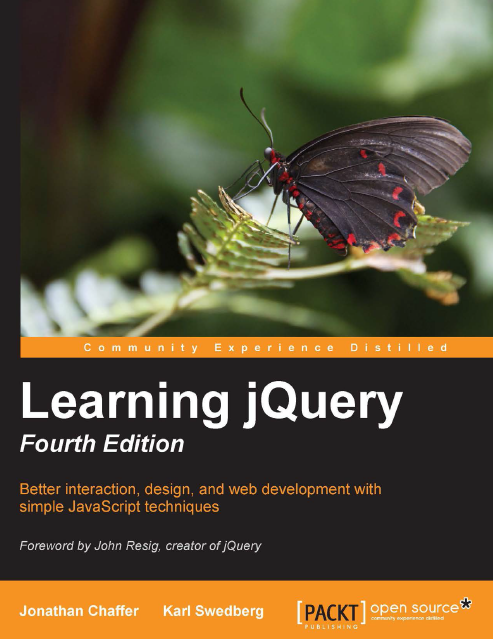
دانلود کتاب Learning jQuery
دوره آموزش JQuery
امروزه توسعه دهندگان در راستای اتوماسیون عملیات رایج و آسان سازی کارهای پیچیده و در نتیجه ساختن سایت های تعاملی و کارامد، به کتابخانه های زبان JavaScript نظیر jQuery روی می آورند. از آنجایی که غالب برنامه نویسان تحت وب تجربه ی بیشتری در زمینه ی کار با HTML و CSS در مقایسه با زبان برنامه نویسی در سمت کلاینت JavaScript دارند، طراحی این کتابخانه به گونه ای است که شروع به کار و یادگیری مفاهیم پایه ای آن برای تازه واردان (و همچنین افرادی که تجربه ی ناچیزی در زمینه ی برنامه نویسی دارند) آسان می باشد. این کتاب به سبب ثبات و انسجام در انتقال مفاهیم برای برنامه نویسان خبره نیز انتخاب مناسبی می باشد.
LearningjQuery - Fourth Edition در واقع نسخه ی ویراست و بروز آوری شده ی jQuery است. با مطالعه ی این کتاب آموزش های لازم برای افزودن قابلیت تعامل به صفحات و متحک سازی المان ها در آن ها را خواهد دید. حتی اگر تلاش های قبلی شما برای افزودن قابلیت های جدید با JavaScript خالص با شکست مواجه شده، این کتاب شما را در جهت رد موانع برنامه نویسی پیرامون AJAX، eventها، افکت ها و امکانات پیشرفته ی جاوا اسکریپت راهنمایی می کند.
To build interesting, interactive sites, developers are turning to JavaScript libraries such as jQuery to automate common tasks and simplify complicated ones. Because many web developers have more experience with HTML and CSS than with JavaScript, the library's design lends itself to a quick start for designers with little programming experience. Experienced programmers will also be aided by its conceptual consistency.
LearningjQuery - Fourth Edition is revised and updated version of jQuery. You will learn the basics of jQuery for adding interactions and animations to your pages. Even if previous attempts at writing JavaScript have left you baffled, this book will guide you past the pitfalls associated with AJAX, events, effects, and advanced JavaScript language features.
| By: | Jonathan Chaffer, Karl Swedberg |
| ISBN: | 978-1-78216-314-5 |
| Year: | 2013 |
| Pages: | 444 |
| Language: | English |
| File size: | 6.9 MB |
| File format: |
Chapter 1: Getting Started 7
What jQuery does 8
Why jQuery works well 9
Making our first jQuery-powered web page 11
Downloading jQuery 11
Deciding on the version of jQuery to use 12
Setting up jQuery in an HTML document 12
Adding our jQuery code 15
Finding the poem text 16
Injecting the new class 16
Executing the code 16
The finished product 18
Plain JavaScript versus jQuery 18
Using development tools 19
Chrome Developer Tools 20
Summary 23
Chapter 2: Selecting Elements 25
Understanding the DOM 25
Using the $() function 26
CSS selectors 28
Styling list-item levels 30
Attribute selectors 31
Styling links 32
Custom selectors 34
Styling alternate rows 35
Finding elements based on textual content 38
Form selectors 39DOM traversal methods 40
Styling specific cells 42
Chaining 44
Accessing DOM elements 45
Summary 46
Further reading 46
Exercises 47
Chapter 3: Handling Events 49
Performing tasks on page load 49
Timing of code execution 49
Handling multiple scripts on one page 51
Alternate syntax for .ready() 52
Passing an argument to the .ready() callback 52
Handling simple events 53
A simple style switcher 54
Enabling the other buttons 56
Making use of the event handler context 58
Consolidating code using the event context 60
Shorthand events 62
Showing and hiding advanced features 62
Event propagation 64
The journey of an event 65
Side effects of event bubbling 67
Altering the journey – the event object 67
Event targets 69
Stopping event propagation 69
Preventing default actions 70
Delegating events 71
Using built-in event-delegation capabilities 74
Removing an event handler 74
Giving namespaces to event handlers 75
Rebinding events 76
Simulating user interaction 78
Reacting to keyboard events 79
Summary 82
Further reading 82
Exercises 82
Chapter 4: Styling and Animating 85
Modifying CSS with inline properties 85Hiding and showing elements 91
Effects and duration 94
Speeding in 94
Fading in and fading out 95
Sliding up and sliding down 96
Toggling visibility 97
Creating custom animations 99
Building effects by hand 100
Animating multiple properties at once 101
Positioning with CSS 103
Simultaneous versus queued effects 105
Working with a single set of elements 105
Bypassing the queue 106
Queuing effects manually 107
Working with multiple sets of elements 109
Queuing with callbacks 111
In a nutshell 113
Summary 114
Further reading 114
Exercises 114
Chapter 5: Manipulating the DOM 115
Manipulating attributes and properties 115
Non-class attributes 116
Value callbacks 118
DOM element properties 120
The value of form controls 121
DOM tree manipulation 121
The $() function revisited 122
Creating new elements 122
Inserting new elements 123
Moving elements 124
Wrapping elements 126
Explicit iteration 127
Using inverted insertion methods 129
Copying elements 132
Cloning for pull quotes 133
Content getter and setter methods 136
DOM manipulation methods in a nutshell 138
Summary 139
Further reading 139
Exercises 140Chapter 6: Sending Data with Ajax 141
Loading data on demand 142
Appending HTML 143
Working with JavaScript objects 146
Retrieving JSON 147
Using global jQuery functions 148
Executing a script 152
Loading an XML document 153
Choosing a data format 156
Passing data to the server 158
Performing a GET request 158
Performing a POST request 162
Serializing a form 163
Delivering different content for Ajax requests 166
Keeping an eye on the request 167
Error handling 170
Ajax and events 172
Security limitations 173
Using JSONP for remote data 174
Exploring additional options 176
The low-level Ajax method 176
Modifying default options 177
Loading parts of an HTML page 177
Summary 180
Further reading 180
Exercises 180
Chapter 7: Using Plugins 181
Finding plugins and help 181
Using a plugin 182
Downloading and referencing the Cycle plugin 182
Calling a plugin method 183
Specifying plugin method parameters 184
Modifying parameter defaults 185
Other types of plugins 186
Custom selectors 186
Global function plugins 187
The jQuery UI plugin library 188
Effects 189
Color animations 189
Class animations 190
Advanced easing 191Interaction components 192
Widgets 194
jQuery UI ThemeRoller 197
The jQuery Mobile plugin library 197
HTML5 custom data attributes 198
Mobile navigation 198
Delivering multiple pages in one document 204
Interactive elements 205
List views 206
Toolbar buttons 208
Advanced features 209
Summary 209
Exercises 210
Chapter 8: Developing Plugins 211
Using the dollar ($) alias in plugins 211
Adding new global functions 212
Adding multiple functions 215
Extending the global jQuery object 216
Isolating functions within namespaces 217
Adding jQuery object methods 218
Object method context 219
Implicit iteration 220
Enabling method chaining 221
Providing flexible method parameters 222
The options object 223
Default parameter values 224
Callback functions 225
Customizable defaults 227
Creating plugins with the jQuery UI widget factory 229
Creating a widget 229
Destroying widgets 232
Enabling and disabling widgets 233
Accepting widget options 234
Adding submethods 235
Triggering widget events 236
Plugin design recommendations 237
Distributing a plugin 238
Summary 238
Exercises 239Chapter 9: Advanced Selectors and Traversing 241
Selecting and traversing revisited 242
Dynamic table filtering 243
Striping table rows 246
Combining filtering and striping 248
More selectors and traversal methods 249
Customizing and optimizing selectors 250
Writing a custom selector plugin 250
Selector performance 252
The Sizzle selector implementation 253
Testing selector speed 254
DOM traversal under the hood 256
jQuery object properties 256
The DOM element stack 258
Writing a DOM traversal method plugin 259
DOM traversal performance 261
Improving performance using chaining 261
Improving performance with caching 262
Summary 263
Further reading 263
Exercises 263
Chapter 10: Advanced Events 265
Revisiting events 265
Loading additional pages of data 267
Displaying data on hovering 269
Event delegation 271
Using jQuery's delegation capabilities 272
Choosing a delegation scope 272
Delegating early 273
Defining custom events 274
Infinite scrolling 276
Custom event parameters 278
Throttling events 279
Other ways to perform throttling 280
Extending events 281
More about special events 284
Summary 285
Further reading 285
Exercises 285Chapter 11: Advanced Effects 287
Animation revisited 287
Observing and interrupting animations 290
Determining the animation state 290
Halting a running animation 291
Caution when halting animations 292
Using global effect properties 292
Disabling all effects 293
Defining effect durations 293
Multiproperty easing 296
Using deferred objects 297
Animation promises 298
Taking fine-grained control of animations 301
Summary 303
Further reading 303
Exercises 303
Chapter 12: Advanced DOM Manipulation 305
Sorting table rows 305
Sorting tables on the server 306
Sorting tables using Ajax 306
Sorting tables within the browser 307
Moving and inserting elements revisited 308
Adding links around existing text 309
Sorting simple JavaScript arrays 310
Sorting DOM elements 310
Storing data alongside DOM elements 312
Performing additional precomputation 313
Storing non-string data 314
Alternating sort directions 317
Using HTML5 custom data attributes 318
Sorting and building rows with JSON 321
Modifying the JSON object 323
Rebuilding content on demand 324
Revisiting attribute manipulation 325
Using shorthand element-creation syntax 326
DOM manipulation hooks 327
Writing a CSS hook 328
Summary 329
Further reading 330
Exercises 330Appendix C: Quick Reference 383
Selector expressions 383
Simple CSS 383
Position among siblings 384
Position among matched elements 384
Attributes 385
Forms 385
Miscellaneous selectors 386
DOM traversal methods 386
Filtering 387
Descendants 387
Siblings 387
Ancestors 388
Collection manipulation 389
Working with selected elements 389
Event methods 390
Binding 390
Shorthand binding 391
Triggering 392
Shorthand triggering 393
Utility 393
Effect methods 393
Predefined effects 393
Custom animations 394
Queue manipulation 394
DOM manipulation methods 395
Attributes and properties 395
Content 396
CSS 396
Dimensions 397
Insertion 397
Replacement 398
Removal 398
Copying 399
Data 399
Ajax methods 399
Issuing requests 399
Request monitoring 400
Configuration 400
Utilities 401

دانلود کتاب آموزش jquery به زبان فارسی
با استفاده از امکانات کتابخانه ی jQuery، وب سایت خود را کاربر پسند نمایید. پس از مطالعه ی کتاب jQuery For Designers قادر خواهید بود افکت های jQuery را به سایت خود اضافه کرده و قابلیت
در صورت تمایل به حضور در دوره آموزش کلیک کنید بر دوره آموزش jQuery,javascript
نویسنده: منوریان
زبان: فارسی

دانلود کتاب Applied jQuery-Develop and Design
Applied jQuery به خوانندگان آن آموزش می دهد چگونه در کوتاه ترین زمان بتوانند رابط های کاربری برای اپلیکیشن های تحت وب بنویسند. این کتاب که به بهترین نحو طراحی شده، علاوه بر تکنیک
در صورت تمایل به حضور در دوره آموزش کلیک کنید بر دوره آموزش jQuery,javascript
نویسنده: Jay Blanchard
زبان: انگلیسی

دانلود کتاب Head First jQuery
اگر می خواهید یک وب سایت تعاملی با ظاهری جالب توجه طراحی کنید، این کتاب بهترین انتخاب می باشد. با مطالعه ی این کتاب خواهید آموخت چگونه با بهره گیری از کتابخانه ی محبوب jQuery می توانید با نوشتن چند خط کد، قابلیت های بی نظیر به سایت خود اضافه نمایید.
نویسنده: Ryan Benedetti, Ronan Cranley
زبان: انگلیسی