
مشخصات کتاب
-
Brad Dayley
-
2014
-
انگلیسی
-
25865
-
2167
-
0
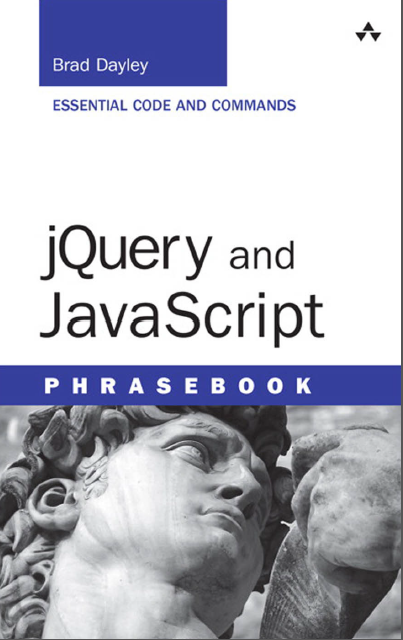
دانلود کتاب JQuery and JavaScript
دوره آموزش JQuery
با مطالعه ی کتاب jQuery and JavaScript بیاموزید چگونه می توان با نوشتن کد کمتر کارهای بیشتری را انجام داد. این راهنمای آموزشی که توسط Brad Dayley نگارش شده، حاوی بیش از 100 تکه کد مفید و دستور العمل برای انجام طیف وسیعی از کارهای رایج اپلیکیشن های تحت وب است. اثر مزبور با رویکرد آموزش کاربردی، مستقیما به مباحث جدید و ضروری در jQuery و JavaScript پرداخته و همچنین تمام آنچه برای ایجاد یک web solution جدید و استفاده از jQuery در سایت های جاری احتیاج دارید را برای شما شرح می دهد.
با الهام از راهنمای آموزشی (phrasebook) JavaScript، نگارنده (Dayley) کدهای انعطاف پذیر و کاملا تست شده برای مطالعه ی سریع و استفاده ی آسان در اختیار شما قرار می دهد. Dayley همچنین آموزش این کتاب را از مفاهیم پایه ای شروع کرده و تا قابلیت های پیشرفته ی jQuery از قبیل ابزارک های (widget) jQueryUI و طراحی صفحات واکنش گرا برای موبایل (mobile development) ادامه می دهد.
Get more done faster with jQuery and JavaScript! Brad Dayley's jQuery and JavaScript Phrasebook brings together 100+ instantly useful code snippets and idioms for performing a wide spectrum of common web application tasks. This hands-on guide gets straight to the essence of what's new and important in jQuery and JavaScript, and what you need to know to build new web solutions or migrate existing sites to jQuery.
Building on JavaScript Phrasebook, Dayley presents carefully tested, flexible, adaptable code - all organized for quick lookup and easy use. Dayley's coverage ranges from the basics to advanced jQuery capabilities, including jQueryUI widgets and mobile development.
| By: | Brad Dayley |
| ISBN: | 978-0-321-91896-3 |
| Year: | 2013 |
| Pages: | 384 |
| Language: | English |
| File size: | 2.8 MB |
| File format: |
1 Jumping into jQuery, JavaScript, and the
World of Dynamic Web Development 1
Understanding JavaScript 2
Introducing jQuery 4
Introducing jQuery UI 7
Introducing jQuery Mobile 9
Configuring Browser Development Tools 12
2 Using the JavaScript Language 15
JavaScript Syntax 15
Defining and Accessing Data 16
Defining Functions 20
Manipulating Strings 21
Manipulating Arrays 25
Applying Logic 29
Math Operations 31
Working with Dates 36
3 Interacting with the Browser 43
Writing to the JavaScript Console 43
Reloading the Web Page 44
Redirecting the Web Page 44
Getting the Screen Size 45
Getting Current Location Details 45
Accessing the Browser 47
Using the Browser History to Go Forward and
Backward Pages 49
Creating Popup Windows 50
Manipulating Cookies 52
Adding Timers 55
Contents vii
4 Accessing HTML Elements 59
Finding HTML Elements in JavaScript 59
Using the jQuery Selector to Find HTML
Elements 61
Chaining jQuery Object Operations 75
Navigating jQuery Objects to Select Elements 76
5 Manipulating the jQuery Object Set 83
Getting DOM Objects from a jQuery
Object Set 84
Converting DOM Objects into jQuery Objects 84
Iterating Through the jQuery Object Set
Using .each() 85
Using .map() 87
Assigning Data Values to Objects 89
Adding DOM Elements to the jQuery
Object Set 91
Removing Objects from the jQuery
Object Set 91
Filtering the jQuery Object Results 92
6 Capturing and Using Browser and
User Events 95
Understanding Events 96
Adding Event Handlers 99
Controlling Events 107
Using Event Objects 111
Handling Mouse Events 115
Handling Keyboard Events 118
Form Events 122
7 Manipulating Web Page Elements
Dynamically 125
Getting and Setting DOM Element Attributes
and Properties 126
Getting and Setting CSS Properties 130
Getting and Manipulating Element Content 139
8 Manipulating Web Page Layout Dynamically 143
Hiding and Showing Elements 143
Adjusting Opacity 146
Resizing Elements 149
Repositioning Elements 152
Stacking Elements 156
9 Dynamically Working with Form Elements 159
Getting and Setting Text Input Values 160
Checking and Changing Check Box State 161
Getting and Setting the Selected Option
in a Radio Group 162
Getting and Setting Select Values 164
Getting and Setting Hidden Form Attributes 166
Disabling Form Elements 167
Showing/Hiding Form Elements 170
Forcing Focus to and Away from
Form Elements 172
Controlling Form Submission 175
10 Building Web Page Content Dynamically 177
Creating HTML Elements Using jQuery 178
Adding Elements to the Other Elements 179
Removing Elements from the Page 184
Dynamically Creating a Select Form Element 186
Appending Rows to a Table 189
Inserting Items into a List 191
Creating a Dynamic Image Gallery 193
Adding HTML5 Canvas Graphics 196
viii Contents
11 Adding jQuery UI Elements 201
Adding the jQuery UI Library 201
Implementing an Autocomplete Input 203
Implementing Drag and Drop 205
Adding Datepicker Element 212
Using Sliders to Manipulate Elements 215
Creating a Menu 219
Adding Tooltips 223
12 Animation and Other Special Effects 227
Understanding jQuery Animation 228
Animating Visibility 234
Making an Element Slide Back to Disappear 238
Animating Show and Hide 242
Animating Resizing an Image 246
Animating Moving an Element 248
13 Using AJAX to Communicate with
Web Servers and Web Services 251
Understanding AJAX 251
AJAX from JavaScript 261
AJAX from jQuery 267
Handling jQuery AJAX Responses 282
Using Advanced jQuery AJAX 285
14 Implementing Mobile Web Sites with
jQuery 291
Getting Started with jQuery Mobile 291
Building Mobile Pages 302
Implementing Mobile Sites with Multiple
Pages 306
Creating a Navbar 314
Applying a Grid Layout 316
Implementing Listviews 320
Contents ix
x Contents
Using Collapsible Blocks and Sets 326
Adding Auxiliary Content to Panels 327
Working with Popups 329
Building Mobile-Friendly Tables 332
Creating Mobile Forms 334
Get more done faster with jQuery and JavaScript! Brad Dayley's jQuery and JavaScript Phrasebook brings together 100+ instantly useful code snippets and idioms for performing a wide spectrum of common web application tasks. This hands-on guide gets straight to the essence of what's new and important in jQuery and JavaScript, and what you need to know to build new web solutions or migrate existing sites to jQuery.
Building on JavaScript Phrasebook, Dayley presents carefully tested, flexible, adaptable code - all organized for quick lookup and easy use. Dayley's coverage ranges from the basics to advanced jQuery capabilities, including jQueryUI widgets and mobile development.Get more done faster with jQuery and JavaScript! Brad Dayley's jQuery and JavaScript Phrasebook brings together 100+ instantly useful code snippets and idioms for performing a wide spectrum of common web application tasks. This hands-on guide gets straight to the essence of what's new and important in jQuery and JavaScript, and what you need to know to build new web solutions or migrate existing sites to jQuery.
Building on JavaScript Phrasebook, Dayley presents carefully tested, flexible, adaptable code - all organized for quick lookup and easy use. Dayley's coverage ranges from the basics to advanced jQuery capabilities, including jQueryUI widgets and mobile development.

دانلود کتاب آموزش jquery به زبان فارسی
با استفاده از امکانات کتابخانه ی jQuery، وب سایت خود را کاربر پسند نمایید. پس از مطالعه ی کتاب jQuery For Designers قادر خواهید بود افکت های jQuery را به سایت خود اضافه کرده و قابلیت
در صورت تمایل به حضور در دوره آموزش کلیک کنید بر دوره آموزش jQuery,javascript
نویسنده: منوریان
زبان: فارسی

دانلود کتاب Applied jQuery-Develop and Design
Applied jQuery به خوانندگان آن آموزش می دهد چگونه در کوتاه ترین زمان بتوانند رابط های کاربری برای اپلیکیشن های تحت وب بنویسند. این کتاب که به بهترین نحو طراحی شده، علاوه بر تکنیک
در صورت تمایل به حضور در دوره آموزش کلیک کنید بر دوره آموزش jQuery,javascript
نویسنده: Jay Blanchard
زبان: انگلیسی

دانلود کتاب Head First jQuery
اگر می خواهید یک وب سایت تعاملی با ظاهری جالب توجه طراحی کنید، این کتاب بهترین انتخاب می باشد. با مطالعه ی این کتاب خواهید آموخت چگونه با بهره گیری از کتابخانه ی محبوب jQuery می توانید با نوشتن چند خط کد، قابلیت های بی نظیر به سایت خود اضافه نمایید.
نویسنده: Ryan Benedetti, Ronan Cranley
زبان: انگلیسی