مشخصات کتاب
-
Mike Wolfson
-
2012
-
انگلیسی
-
1370
-
316
-
0
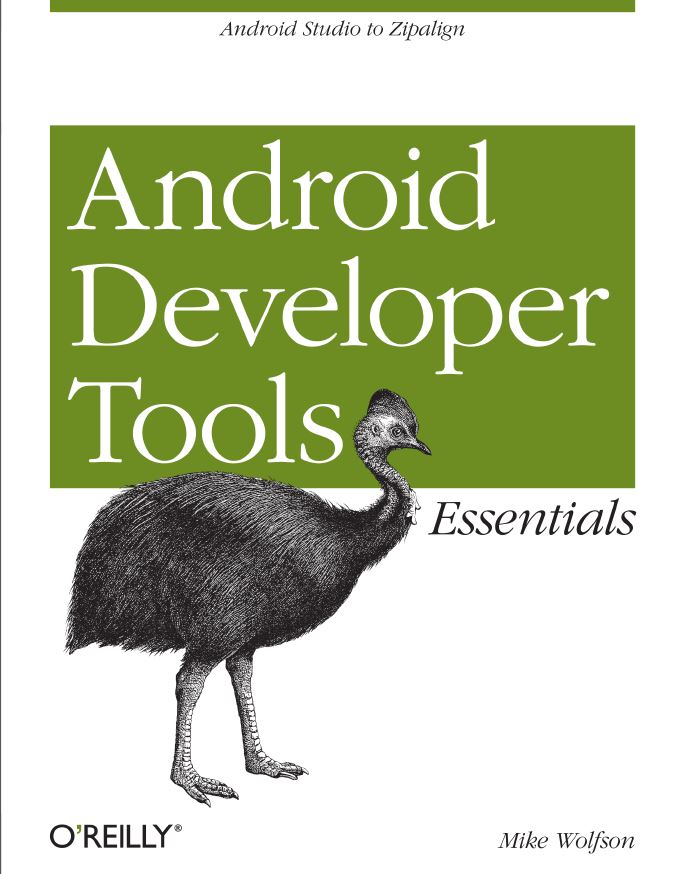
دانلود کتاب Android Developer Tools Essentials
اگر این کتاب را می خوانید، معنیش این است که درک ابتدایی از سیستم عامل اندروید داشته و از سختی های برنامه نویسی برای آن آگاهی دارید. آشنایی با نحوه ی استفاده بهینه از ابزار ساخت و توسعه ی نرم افزارهای اندروید می تواند شما را در فرایند برنامه نویسی یاری کرده، کیفیت کد شما را بالا ببرد و در پایان سبب تولید محصولی کارامد و به مراتب پربازده تر شود.
1. Getting Started. . . . . . . . . . . . . . . . . . . . . . . . . . . . . . . . . . . . . . . . . . . . . . . . . . . . . . . . . . . . . 1
Minimum Requirements 1
Installing Java 2
Installing the Android Software Development Kit 3
Installing the ADT Bundle 3
Developing Without Eclipse 5
Command-Line Usage 6
Using a Different IDE 6
Configuring a Device for Development 7
2. Essential Tools. . . . . . . . . . . . . . . . . . . . . . . . . . . . . . . . . . . . . . . . . . . . . . . . . . . . . . . . . . . . . 11
SDK Manager 11
SDK Components 11
Starting the SDK Manager 12
Viewing Installed and Available Components 13
ADT Preview Channel 15
Android Debug Bridge (ADB) 17
Starting ADB 17
Querying for Device Instances 18
Issuing Commands 19
The Shell Command 20
ADB Does a Lot More 22
Resetting the ADB Server 23
Additional Resources 24
3. Configuring Devices and Emulators. . . . . . . . . . . . . . . . . . . . . . . . . . . . . . . . . . . . . . . . . . . 25
Using a Physical Device for Development 25Capabilities and Limitations 25
Configuring a Physical Device for Development 26
Using an Emulator for Development 26
Supported Features 27
Android Virtual Devices 28
Creating AVDs 28
Emulator Options 32
Advanced Emulator Configuration 33
Using Hardware Acceleration 33
Disabling the Boot Animation 37
On Windows: Dedicating a Core to the Emulator 37
4. Using Devices and Emulators. . . . . . . . . . . . . . . . . . . . . . . . . . . . . . . . . . . . . . . . . . . . . . . . . 39
Using the Emulator 39
Starting the Emulator 40
The Emulator Application 47
The Devices Tool 48
Keyboard Shortcuts 50
File Explorer 50
Developer Tools Application 52
5. Developing with Eclipse. . . . . . . . . . . . . . . . . . . . . . . . . . . . . . . . . . . . . . . . . . . . . . . . . . . . . 55
Anatomy of the Eclipse Workspace 55
Uncovering Additional Tools and Views 57
Quick Button 59
Code Templates 59
Properties Editors 65
XML Formatter 67
The Android Key 67
Quick Outline for XML 68
Other Essential Eclipse Shortcuts 69
Refactor Menu 70
6. Developing with Android Studio. . . . . . . . . . . . . . . . . . . . . . . . . . . . . . . . . . . . . . . . . . . . . . 71
Installing Android Studio 71
Bundled SDK 72
Default Project Location 74
Anatomy of the Android Studio IDE 74
Panels 74
Toolbars 75
Useful Actions in Android Studio 76
Navigation 76The New Structure of an Android Project 77
A Tour Around the New Structure 77
Running and Debugging an Android Project 78
Creating New Android Components 79
Layout Designer and Layout Preview 80
Layout Designer 80
Layout Preview 81
Generating an APK 82
Interacting with Maven and Gradle 83
Interacting with Maven 83
Interacting with Gradle 84
Version Control Integration 85
Migrating from Eclipse 86
Android Studio Tips and Tricks 86
Refactoring and Code Generation 87
Miscellaneous Shortcuts 87
7. Testing Your Code. . . . . . . . . . . . . . . . . . . . . . . . . . . . . . . . . . . . . . . . . . . . . . . . . . . . . . . . . . . 89
Logcat 89
Viewing the Logcat File 89
Anatomy of a Log Message 89
Filtering Based on Logging Level 91
Using Tags to Filter Output 92
Getting the Most Out of Logcat 92
Viewing Alternative Log Buffers 93
Predefined Output Formats 93
Logcat Viewer in Eclipse 93
Logcat Example 94
Debugging 98
Setting Your App to Debuggable 99
Setting a Debug Point 99
The Eclipse Debug Perspective 100
Debugging Example 101
Lint 107
Command-Line Usage 108
Running in Eclipse 110
8. Simulating Events. . . . . . . . . . . . . . . . . . . . . . . . . . . . . . . . . . . . . . . . . . . . . . . . . . . . . . . . . 115
Simulating Location and Routes 115
Simulating Telephony Operations 118
Changing Networking Parameters 121
Using a Device with Sensor Emulation 122Advanced Sensor Testing 122
Supported Sensors 123
Simulating Sensor Events in Real Time 123
Recording Sensor Scenarios 124
Developer Options Menu 126
9. Build Tools. . . . . . . . . . . . . . . . . . . . . . . . . . . . . . . . . . . . . . . . . . . . . . . . . . . . . . . . . . . . . . . 129
Compiling Your Code 129
Packaging an APK for Release 130
Signing Your App 130
Building from the Command Line Using Ant 133
Setting Up Your Project 135
Building in Debug Mode 136
Building an App to Release to the Play Store 136
Additional Ant Commands 138
Advanced Packaging Steps 139
ProGuard 139
Zipalign 144
Gradle-Based Build Tools 144
Installing Gradle 144
Creating Multiple Build Variations 145
Build File 147
Build Tasks 148
Generating a Gradle Build from Eclipse 148
Using the Maven Tools 149
10. Monitoring System Resources. . . . . . . . . . . . . . . . . . . . . . . . . . . . . . . . . . . . . . . . . . . . . . . 151
Memory Usage in Android 151
Dalvik Debug Monitor Server (DDMS) 152
Launching the DDMS Perspective 152
Analyzer Tool 154
Threads 155
Heap 156
Traceview 157
Memory Analyzer Tool (MAT) 159
Generating an HPROF File 160
HPROF File 160
Installing MAT into Eclipse 160
Launching MAT from Within Eclipse 160
Using MAT to Analyze HRPOF Files 161
The MAT Overview Screen 162
11. Working with the User Interface. . . . . . . . . . . . . . . . . . . . . . . . . . . . . . . . . . . . . . . . . . . . . 165
Android Layout Basic Concepts 165
Defining Layouts Using XML 165
Views and ViewGroups 167
Resources 170
Leveraging ADT to Build Great UIs 171
Editing XML Files Directly 172
Using Templates 172
Editing XML Directly 173
Working with Graphics 182
The Asset Tool 183
Using Nine-Patch Images 185
Asset Studio Website 187
12. Using the Graphical Editor. . . . . . . . . . . . . . . . . . . . . . . . . . . . . . . . . . . . . . . . . . . . . . . . . . 189
Generating Layouts Using the Graphical Layout Editor 189
Palette 191
Canvas 192
Layout Actions 194
Context-Sensitive Menu 194
Outline View 196
Properties Editor 196
Configuration Chooser 197
13. Optimizing the User Interface. . . . . . . . . . . . . . . . . . . . . . . . . . . . . . . . . . . . . . . . . . . . . . . 201
Introduction to UI Performance 201
How Android Draws Views, and How It Affects UI Performance 201
Hierarchy Viewer 203
Starting the Hierarchy Viewer 203
Loading the View Hierarchy into the Tools 203
Navigating the Tree Hierarchy 203
Gathering View Information 205
Gathering View Rendering Details 207
Example: Debugging a UI Using the Hierarchy Viewer 208
Fixing Problems Using Lint 218
Application Exerciser Monkey 219
Grooming the Monkey 220
Monkeyrunner 221
Using Python to Create the Script 221