مشخصات کتاب
-
Kyle Begeman
-
2016
-
انگلیسی
-
25982
-
678
-
0
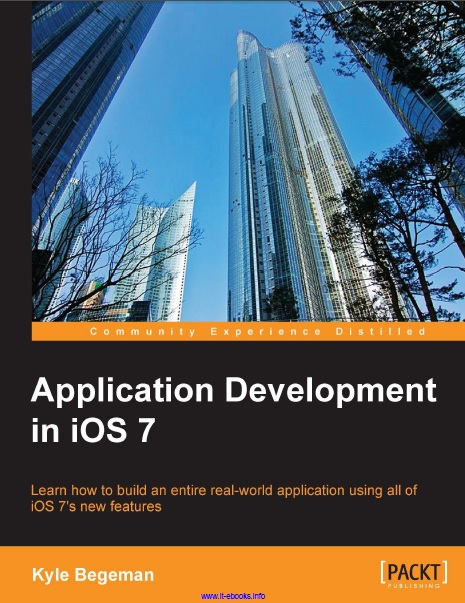
Application Development in iOS 7
Preface 1
Chapter 1: Xcode 5 – A Developer's Ultimate Tool 5
The new user experience 5
Top-level documentation 7
Debugger and debug gauges 8
Automatic configuration with accounts and capabilities 10
Source control 12
Asset catalogs 12
Quick build device selection 14
Storyboard previews 14
Summary 16
Chapter 2: Foundation Framework – Growing Up 17
Why Foundation matters 17
Modules 17
Precompiled headers – a partial solution 18
Modules – smart importing 19
NSProgress 20
NSArray 21
NSTimer 22
NSData 22
NSURLUtilities 23
Summary 24
Chapter 3: Auto Layout 2.0 25
Why you should use Auto Layout 25
Creating our project 26
Starting our storyboard 27
Setting up button actions 28
Using Auto Layout 29
Table of Contents
[ ii ]
Applying constraints 30
Resolving Auto Layout issues 34
Finishing our menu view 35
Preparing for navigation 36
Summary 37
Chapter 4: Building Our Application for iOS 7 39
Designing for iOS 7 39
The navigation bar and status bar 40
The new UIKit 41
Updated app icons 42
Putting together the pieces 43
Project organization 43
Creating the files 45
Setting up the storyboard 45
AddNewViewController 46
FoodDetailViewController 46
MyFoodsViewController 47
Summary 47
Chapter 5: Creating and Saving User Data 49
Picking up where we left off 49
The navigation bar style 50
Adding our button action 52
Adding buttons to our navigation bar 53
Adjusting our storyboard view 54
Adding our delegates 56
Using a tap gesture 56
Getting the image from UIImagePickerController 59
Adding the text field delegate 60
Saving the data 60
Getting the date string 60
Adding validation 61
Saving the image 63
Creating versus loading the .plist file 63
Adding a new entry 65
Summary 65
Chapter 6: Displaying User Data 67
Custom cell 67
Building the cell 68
Connecting the cell 69
Creating properties 69
Adding food 70
Preparing the table view 71
Loading data 73
Displaying data 74
Showing the detail view 75
Coding the detail view 76
Creating blurred images 76
Finishing our detail view 79
Pushing the detail view 80
Summary 80
Chapter 7: Manipulating Text with TextKit 81
What is TextKit? 81
Dynamic type 83
Handling updates 85
Exclusion paths 85
Adding letterpress 88
Text formatting 88
Making text bold and italicizing 89
Underlining text 90
Summary 91
Chapter 8: Adding Physics with UIKit Dynamics 93
Motion and physics in UIKit 93
UIKit Dynamics 94
Motion effects 94
Adding gravity 94
UIDynamicAnimator 95
UIGravityBehavior 95
Behavior properties 96
Creating boundaries 96
Collisions 98
Creating invisible boundaries 98
Dynamic items 100
Manipulating item properties 100
Collision notifications 101
Attaching items to other items 102
Snapping items 103
Using motion in our app 104
Summary 106
Index 107

Learn cocos2D Game Development with iOS 5
Learn cocos2D Game Development with iOS 5
نویسنده: Steffen Itterheim, Andreas Löw
زبان: انگلیسی