مشخصات کتاب
-
Zigurd Mednieks G. Blake Meike Laird Dornin Zane Pan
-
2011
-
انگلیسی
-
547
-
188
-
0
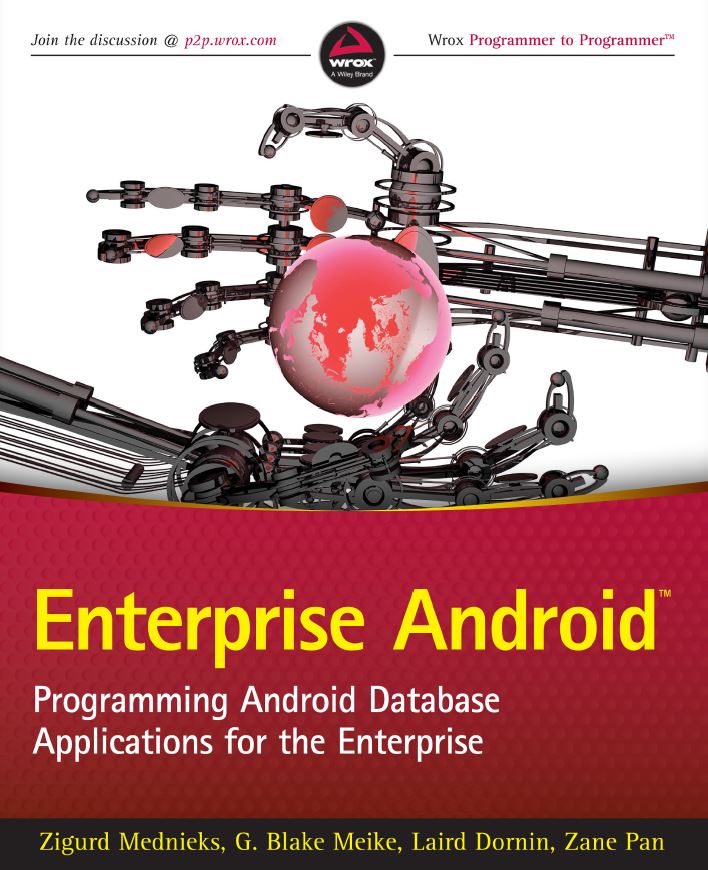
Enterprise Android™
CHAPTER 1: DEVELOPING FOR ANDROID TABLETS
AND SMARTPHONES 1
Android Is a Java Operating System 2
Your Tools and Your First Android App 2
Prerequisites and Getting Ready 2
Toolchain Test Drive 4
One Code-Base for All Types of Devices 4
Getting Started with the Code Framework Example 5
Automatically Adapting to Screen Size 10
Components, Views, and Lifecycle 11
Destroying and Re-Creating Components 11
The MainActivity Class 12
Activity: The Basic Unit of User Interaction 12
Fragment: A Tool for Organizing Code and UI 17
The PickFragment Class 18
The ItemFragment Class 22
The ItemDetailFragment Class 25
Tying Together Activities, Fragments,
and the Action Bar 25
The TabbedActivity Class 25
A Main.xml File for Large Tablets 28
A Main.xml and a Subsidiary Activity for Smaller Screens 29
The TabActivity Class 30
The Android Task and Process Model 33
Starting Dalvik Instances 34
Death, but No Transfi guration 34
Tasks Span Applications and Processes 35
Multiprocessing, Security, and Lifecycle 35
The Process and User ID as Security Boundary 36
Declaring Application Properties 36
Summary 37CHAPTER 2: THE RELATIONAL MODEL AND SQLITE 39
Databases and the Relational Model 40
The History of the RDBMS 41
The Relational Model 41
Other DBMS Features 43
The SQL Language 45
Introduction to SQLite 48
SQLite from the Command Line 49
An Example SQLite Database 53
Summary 58
CHAPTER 3: ANDROID DATABASE SUPPORT 59
SQL in Java: The SQLiteDatabase Class 60
Basic SQL Embedding 60
Syntactic SQL 61
Creating a Database: The SQLiteOpenHelper Class 67
Managing a Database 71
Cursors, Loaders, and Adapters 73
Cursors 74
Adapters and View Binders 76
Loaders 79
Summary 81
CHAPTER 4: CONTENT PROVIDERS 83
Using a Content Provider 84
URIs as Names for Virtual Datasets 84
Content Resolvers: The Link between Clients and Providers 85
Content Observers: Completing the Loop 87
IPC: System-Wide Accessibility 89
The Contract: URIs and Types 90
Authority 91
Virtual Table URIs 93
Return Value MIME Types 94
Permissions 94
Publishing the Contract 95
Implementing the Content Provider 95
Creating the Content Provider 96
Return Types and the URI Matcher 97
Writing the Database 98
Database Queries 101
Content Observers (Again) 105Permissions and Registration 106
Content Providers and Files 109
Summary 114
CHAPTER 5: REST, CONTENT PROVIDERS, CONCURRENCY,
NETWORKING, AND SYNC ADAPTERS 115
Basic REST 116
Why REST? 117
REST over HTTP 118
An Example REST API 120
Contact Representation 120
Contact Methods and URIs 122
Contact Transactions 122
Android Networking 125
The Apache Libraries 125
The java.net Libraries 126
Permissions 128
Considering Concurrency and Lifecycles 128
The Android Concurrency Architecture 128
A Naive Request 129
An Architecture for Robust Networking 131
Approach 1: Service-Centric 131
Approach 2: ContentProvider-Centric 133
Approach 3: SyncAdapter-Centric 135
REST within Android 135
The restfulCachingProviderContacts Project: An Example Client 136
Adding a Contact 138
Using Sync Adapters 143
Android Account Management 144
Creating a Sync Adapter 155
Summary 165
CHAPTER 6: SERVICE DEVELOPMENT 167
A Choice for Service Development 168
The Lifecycle of a Request 168
Three-Tier Service Architecture 169
Service Development Background 169
Building a RESTful Service for Contacts 172
A Conservative Software Stack 172
Writing the Examples: Spring Contacts Service
and Its Synchronization Variant 175
Code Example: Spring Sync Contacts Service 195
Summary 202CHAPTER 7: MOBILE AND THE CLOUD 205
Cloud Performance and Scalability 206
The Scale of Mobile 207
Persistence in the Cloud: From SQL to NoSQL 208
Database File Format 211
NoSQL Persistence 213
Design Considerations for Scalable Persistence 215
To SQL or Not to SQL? 215
Looking at Popular Cloud Providers 218
Amazon AWS 218
Google App Engine 219
Joyent: Hosted MongoDB+node.js 219
Red Hat OpenShift 220
Exploring the Code Examples 220
The Contacts DAO Interface (Again) 221
Writing the Code: Amazon Contacts Service 221
Writing the Code: Google App Engine Contacts 235
Summary 243
CHAPTER 8: COMPLEX DEVICE-BASED DATA:
ANDROID CONTACTS 245
PIM Databases: Fossils from Smartphone Pre-History 246
Android’s Contacts Provider 246
The ContactsContract API 246
A Contacts Provider Explorer 247
Code for Exploring a Database 249
Source Code for a Contacts Provider Explorer 249
Summary 262
CHAPTER 9: GENERIC DATA SYNCHRONIZATION:
PROJECT MIGRATE AND THE WEBDATA API 265
Introducing WebData and Project Migrate 266
How Project Migrate Works 266
How Project Migrate Streamlines the Mobile Connection
to the Enterprise 267
The WebData API in Detail 268
The WebData API RESTful Protocol 269
Project Migrate in Detail 279
The Migrate Project Android WebData Client 279
Project Migrate Android Features 279The WebData Content Provider Android API 281
Android Built-In Provider APIs 281
The Migrate Provider API 281
Summary 281
Service-Side Advantages 282
Client Advantages 282
CHAPTER 10: WEBDATA APPLICATIONS 283
The Migrate Client 284
Creating a Migrate Project 285
Step 1: Importing the Project 285
Step 2: Enabling the Project as a Migrate Client 285
Step 3: Defi ning the Information to Be Managed by Migrate 286
Step 4: Generating the Contacts Contract 287
Interfacing with the Migrate REST Proxy 291
Step 5: Starting a Local Migrate Service 296
Step 6: Publishing Your Application’s Schema 296
Setting Up a Device 298
Step 1: Installing the Migrate Client 298
Step 2: Adding a WebData Account 299
Step 3: Turning on Synchronization 299
Step 4: Running the Application 300
Step 5: Confi guring an Account in Migrate Contacts (Optional) 300
Future Directions: MigrateClinic 300
Summary 303
CHAPTER 11: BUILDING HUMAN INTERFACES FOR DATA 305
Modularity and Flexibility Compared
with a “Cookbook” Approach 306
Overview of Modules 306
Layout Changes 307
Direct Manipulation 308
The TabbedActivity Class 308
The TabbedPagedFragment Class 319
Navigation 320
Multitasking in a Small-Screen Environment 320
The Android Task Model 320
Tasks and the Conventional Process Model 321
Modifying Task Behavior 321
Navigation in Tablets 323
Choosing to Use the Support Package 323
Summary 324CHAPTER 12: SECURITY 325
Platform Security 326
Keeping Handsets Safe 327
Avoiding Malicious Applications 327
Understand Malware Mechanics: The Malware Genome 330
Writing Secure Applications 331
Hacking Targets 331
Ingredients of a Secure Application 332
Example Code: Protecting RESTful Invocations 353
Preventing Piracy 365
Summary 366
INDEX 369