
مشخصات کتاب
-
Brian P. Hogan
-
2014
-
انگلیسی
-
2228
-
531
-
0
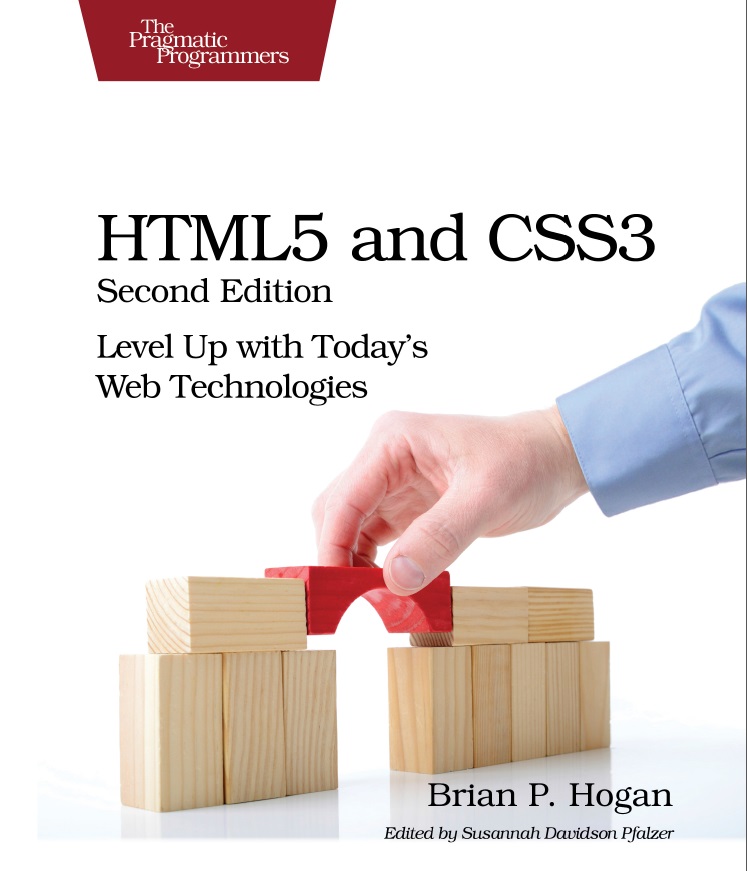
HTML5 and CSS3, Second Edition
Preface . . . . . . . . . . . . . . xi
1. An Overview of HTML5 and CSS3 . . . . . . . . 1
1.1 A Stronger Platform for Web Development 1
1.2 The Road to the Future Is Bumpy 5
Part I — Improving User Interfaces
2. New Structural Tags and Attributes . . . . . . . 13
Tip 1. Redefining a Blog Using Semantic Markup 15
Tip 2. Showing Progress toward a Goal with the <meter>
Element 26
Tip 3. Creating Pop-Up Windows with Custom Data
Attributes 30
Tip 4. Defining an FAQ with a Description List 34
3. Creating User-Friendly Web Forms . . . . . . . 37
Tip 5. Describing Data with New Input Fields 39
Tip 6. Jumping to the First Field with Autofocus 49
Tip 7. Providing Hints with Placeholder Text 50
Tip 8. Validating User Input without JavaScript 54
Tip 9. In-Place Editing with contenteditable 59
4. Styling Content and Interfaces . . . . . . . . 67
Tip 10. Styling Tables with Pseudoclasses 69
Tip 11. Making Links Printable with :after and content 78
Tip 12. Building Mobile Interfaces with Media Queries 81
Tip 13. Creating Multicolumn Layouts 84
5. Making Accessible Interfaces . . . . . . . . 91
Tip 14. Providing Navigation Hints with ARIA Roles 93
Tip 15. Creating an Accessible Updatable Region 98
Tip 16. Improving Table Accessibility 104
Part II — New Sights and Sounds
6. Drawing in the Browser . . . . . . . . . . 111
Tip 17. Drawing a Logo on the Canvas 112
Tip 18. Graphing Statistics with RGraph 120
Tip 19. Creating Vector Graphics with SVG 126
7. Embedding Audio and Video . . . . . . . . 131
Tip 20. Working with Audio 137
Tip 21. Embedding Video 141
Tip 22. Making Videos Accessible 146
8. Eye Candy . . . . . . . . . . . . . 151
Tip 23. Rounding Rough Edges 153
Tip 24. Working with Shadows, Gradients, and
Transformations 157
Tip 25. Working with Fonts 164
Tip 26. Making Things Move with Transitions and
Animations 169
Part III — Beyond Markup
9. Saving Data on the Client . . . . . . . . . 183
Tip 27. Saving Preferences with Web Storage 185
Tip 28. Storing Data in a Client-Side Database Using
IndexedDB 190
Tip 29. Working Offline 203
10. Creating Interactive Web Applications . . . . . . 207
Tip 30. Preserving History 209
Tip 31. Talking across Domains 213
Tip 32. Chatting with Web Sockets 219
Tip 33. Finding Yourself: Geolocation 227
Tip 34. Getting It All Sorted Out with Drag and Drop 231
11. Where to Go Next . . . . . . . . . . . 239
11.1 Defining Layouts with the Flexible Box Model 240
11.2 Cross-Origin Resource Sharing 242
11.3 Web Workers 243
11.4 Server-Sent Events 247
11.5 Filter Effects 250
11.6 WebGL 252
11.7 Onward! 252
A1. Features Quick Reference . . . . . . . . . 253
A1.1 New Elements 253
A1.2 Attributes 254
A1.3 Forms 254
A1.4 Form-Field Attributes 255
A1.5 Accessibility 255
A1.6 Multimedia 256
A1.7 CSS3 257
A1.8 Client-Side Storage 259
A1.9 Additional APIs 260
A2. jQuery Primer . . . . . . . . . . . . 263
A2.1 Loading jQuery 263
A2.2 jQuery Basics 264
A2.3 Methods to Modify Content 264
A2.4 Creating and Removing Elements 267
A2.5 Events 267
A2.6 Document Ready 269
A2.7 Use jQuery Wisely 270
A3. Encoding Audio and Video for the Web . . . . . . 273
A3.1 Encoding Audio 273
A3.2 Encoding Video 274
A4. Resources . . . . . . . . . . . . . 275
Bibliography . . . . . . . . . . . . 277
Index . . . . . . . . . . . . . . 279

کتاب آموزش گام به گام Html به زبان فارسی
آموزش آنلاين کتاب آموزش گام به گام Html به زبان فارسی
نویسنده: افشین رفوآ
زبان: فارسی

کتاب آموزش گام به گام Bootstrap به زبان فارسی
کتاب آموزش گام به گام Bootstrap به زبان فارسی
نویسنده: افشین رفوآ
زبان: فارسی

کتاب آموزش گام به گام CSS به زبان فارسی
کتاب آموزش گام به گام Bootstrap به زبان فارسی
نویسنده: افشین رفوآ
زبان: فارسی