
مشخصات کتاب
-
Adam Watkins
-
2011
-
انگلیسی
-
24036
-
756
-
2
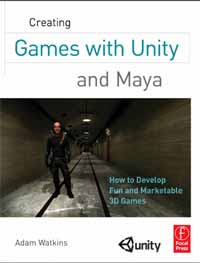
Creating Games with Unity and Maya
Acknowledgments . vi
Introduction . xv
Chapter 1: Game Production Process . 1
The Team. 1
The Tools and Unity. 4
Teams of Teams and Pipelines. 4
Assets. 5
Art Assets. 5
Technology Assets (Scripts). 5
Order of Operations. 6
Conclusion and Introduction to Incursion. 6
A Note on Research. 7
And on We Go…. 8
Chapter 2: Asset Creation: Maya Scenography Modeling. 9
Scenography Modeling within the Game Design Pipeline. 9
Why Maya Tutorials?. 10
A Bit of 3D Theory . 11
Rendering. 12
Video Cards. 13
Limitations and Optimizations for Games. 13
Rules of 3D Game Modeling. 14
Polycount Matters. 14
Topology. 15
On to the Tools. 16
Tutorial 2.1: Game Level Modeling: The Entryway. 17
Columns Base Shape . 18
Dock Creation. 20
Dock Optimization . 22
Backface Culling. 25
Roof Creation . 26
Cleaning or Deleting History. 27
Handrails. 28
Archway and Booleans . 28
Beveling . 32
Wrapping Up. 33
Homework and Challenges . 34
Chapter 3: Asset Creation: Maya Scenography UV Mapping. 37
Scenography UV Layout within the Game Design Pipeline. 37
UVs . 38
Exploring the UV Texture Editor. 39
Tutorial 3.1: Game Level UV Layout, Tools, and Techniques. 40
Mapping Beginning with Automatic Mapping. 42
Sewing Shells . 45
Further Optimization. 49
Maya's Unfold UV via Smooth UV Tool. 50
Manual Mapping. 52
Conclusion. 61
Homework and Challenges . 62
Chapter 4: Asset Creation: Maya Scenography Texturing. 63
Textures, Materials, and Shaders. 63
Nature of Effective Textures. 64
Maya and Unity . 65
Tutorials. 66
Tutorial 4.1: Seamless Tiled Textures. 66
Select and Prepare a Raw Texture Image . 68
Offset and Clone Stamp . 68
Unify the Color Balance. 70
Apply the Texture. . . . . . . . . . . . . . . . . . . . . . . . . . . . . . . . . . . . . . . . . . . . . . . . . . . .71
Conclusion. 74
Tutorial 4.2: Nontiled Textures and Their Dirt. 74
UV Snapshots. 75
Preparing the UV Snapshot for Painting in Photoshop. 76
Painting the Texture. 77
Layer Mixing . 78
Layer Masks. 79
Saving Multiple Files. 82
Application in Maya. 82
Conclusion. 83
Homework and Challenges . 84
Chapter 5: Asset Creation: Unity Scenography Importing . 89
Unity. 89
The Plan. 90
Unity Projects. 90
Tutorial 5.1: Creating a Unity Project. 90
About the New Project File . 92
Unity Interface. 93
Toolbar. 94
Scene. 95
Game. 95
Inspector Panel. 95
Hierarchy Panel. 96
Project Panel. 96
Using It All . 96
Tutorial 5.2: Exporting from Maya. 97
Optimizing in Maya. 97
Export Options. 98
The Import Process. 99
Unity Nomenclature. 101
GameObject . 101
Prefabs. 101
Scenes. 101
Tutorial 5.3: Importing, Tweaking, and Placing Scenography
Assets into Unity. 102
Inspector Breakdown. 108
Conclusion. 112
Homework and Challenges . 112
Chapter 6: Asset Creation: Unity Scenography Creation Tools. . . . . . . . . 113
Asset Creation in Unity. 113
Tutorial 6.1: Adding and Manipulating Unity Water, Sky, and Fog. 114
Importing Packages. 114
Water. 114
Skyboxes. 116
Fog. 119
Wrapping Up. 120
Tutorial 6.2: Terrain Creation. 121
Restrictions of Terrains. 122
Terrain Editing Tools. 125
Conclusion. 136
Tutorial 6.3: Primitives and Particles. 136
Tweaking Terrain Settings. 143
Conclusion. 144
Chapter 7: Asset Creation: Advanced Shading, Lighting, and Baking. 145
Baking . 146
Baking in Unity (aka Unity Lightmapping). 146
Limitations to Unity Lightmapping. 147
Plan of Attack. 148
Tutorial 7.1: Normal Maps. 148
Additional Tools. 150
Conclusion. 159
Tutorial 7.2: Lighting and Baking in Unity. 159
Unity's Lighting Instruments. 160
Conclusion. 177
Homework and Challenges . 178
Chapter 8: Asset Creation: Maya Character Creation . 179
Aegis Chung. 180
Style Sheet. 180
Considerations of Style Sheets. 181
Chapter Overview. 182
Tutorial 8.1: Game Character Modeling: Aegis Chung . 182
Polycount. 182
Conclusion. 232
Chapter 9: Asset Creation: Maya Character UV Mapping
and Texturing. 233
UV Mapping. 234
Tutorial 9.1: Character UV Mapping. 234
Mesh Inspection and Cleanup . 234
Finishing Up. 260
Conclusion. 262
Tutorial 9.2: Character Texture Painting. 262
Ambient Occlusion Pass. 264
Face and Head . 269
Conclusion. 273
Chapter 10: Asset Creation: Maya Rigging and Skinning and
Unity Animated Character Importing and Implementation. 275
The Process. 276
Tutorial 10.1: Rigging. 276
Cleanup. 276
Joints and Rigging. 280
Conclusion. 301
Tutorial 10.2: Maya Skinning . 302
Binding Rigid Body Parts. 303
Painting Skin Weights. 305
Conclusion. 308
Tutorial 10.3: Maya Animation. 310
General Notes on Game Animation . 310
Conclusion. 314
Tutorial 10.4: Getting Animated Characters to Unity . 314
Using Aegis . 316
Tutorial 10.5: Animating in Unity. 319
Conclusion. 321
Wrapping Up. 321
Homework and Challenges . 322
Chapter 11: Unity Sound. 323
Get the Sounds. 323
Sound Listener and Sound Source Paradigm. 325
Tutorial 11.1: Placing Sound in Unity . 325
Audio Reverb Zones. 327
Footsteps . 328
Scripting Sound. 330
Conclusion. 332
Homework and Challenges . 332
Chapter 12: Introduction to Unity Scripting Basics and
Graphical User Interface . 333
Unity's Scripting Languages. 334
Boo Script. 334
C#. . . . . . . . . . . . . . . . . . . . . . . . . . . . . . . . . . . . . . . . . . . . . . . . . . . . . . . . . . . . . . . . . .335
JavaScript. 335
Using Scripts in Unity. 335
A Note about This Approach. 336
Tools for Scripts . 336
What Is a Script?. 337
Getting to It. 340
Tutorial 12.1: Graphical User Interfaces. 340
GUITexture. 340
Conclusion. 354
Homework and Challenges . 354
Chapter 13: Unity Triggers . 355
Designating Triggers. 356
Tutorial 13.1: Activating and Changing Screen Hints
with Triggers . 356
GUIText. 357
Custom Fonts . 358
Creating Triggers. 358
Scripting the GUIText. 359
Scripting Triggers. 361
Triggers to Swap Levels. 364
Conclusion. 367
Tutorial 13.2: Triggers and Doors. 367
Divergent Methods. 369
Sound and Scripts. 372
Cleaning Up with Destroy and Booleans. 373
Conclusion. 377
Homework and Challenges . 377
Chapter 14: Unity Raycasting. 379
Frame Miss. 379
Raycasting. 380
But First ... A Few Notes on Scripting and Help. 381
Comments via //. 381
Commenting Blocks of Script with /*. 382
Accessing the Documentation. 383
F1 in UniSciTE. 384
Decoding a Help Page. 384
Tutorial 14.1: Highlighting Actionable Objects with Raycasting. 386
Turning on the Lights. 393
Conclusion. 402
Homework and Challenges . 402
Chapter 15: Unity Prefabs and Instantiation. 403
Prefabs. 403
Prefabs versus Prefab Connections. 404
Tutorial 15.1: The Power of Prefabs. 407
Tags. 408
Adding Sound. 411
Conclusion. 412
Instantiation. 413
Tutorial 15.2: Setting Up the Armed Arms. . . . . . . . . . . . . . . . . . . . . . . . . . . . . . .414
Conclusion. 417
Tutorial 15.3: Firing a Gun. 417
A Few Notes about Pistol Sparks. 419
Quick Note about Detonator and Explosion Framework . 420
Conclusion. 423
Tutorial 15.4: Sound Revisited. 423
Scope and Optimizing Script. 425
Tutorial 15.5: The EMP Mines. 427
Layers. 436
Make the EMP Effective. 437
Conclusion. 439
Chapter 16: Unity: Creating Inventory Systems. 441
State Engine and How Many Scripts?. 441
Tutorial 16.1: Setting Up Inventory GUI and Script . 443
Refresher on Interscript Communication. 446
Firing Animations in Script. 448
Hiding and Showing Weapons. 453
Bulking up the GUI System. 457
Create a GUIElements Prefab. 458
Animate the Inventory to Show and Hide . 459
Conclusion. 463
Tutorial 16.2: Keys . 464
Accessing the State Engine . 465
Building upon the Raycasting Mechanism. 465
Fleshing Out PickUpKey . 466
Creating a Smart Trigger. 467
Conclusion. 472
Homework and Challenges . 472
Chapter 17: Health Systems, Winning, and Losing the Game. 473
Tutorial 17.1: Winning. 474
The Endgame Trigger. 476
Conclusion. 477
Tutorial 17.2: Health Systems. 478
Creating Health Display. 479
Back to Script. 481
Things That Hurt. . . . . . . . . . . . . . . . . . . . . . . . . . . . . . . . . . . . . . . . . . . . . . . . . . . .482
Creating the Damage Triggers . 482
Broadcast Message. 434
Particles Doing Damage (Steam). 487
Timers on Cameras. 490
Scene-ClosingFail . 491
Global Variables. 492
Final Test. 494
Conclusion. 494
Homework and Challenges . 494
Chapter 18: Unity Debugging, Optimization, and Builds . 495
Finding the Bugs . 495
Optimization. 496
Finding What Needs to Be Optimized . 496
Optimizing with Textures. 498
Optimizing with Scripts. 500
Making the Build . 501
Preparing Player Settings. 501
Outputting the Final Build. 506
Conclusion. 508
Index . 509