
مشخصات کتاب
-
Michael Labriola
-
2012
-
انگلیسی
-
1738
-
152
-
0
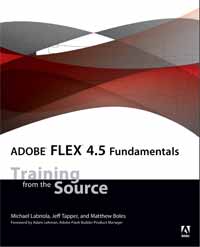
Adobe® Flex® 4.5 Fundamentals
Foreword x
Introduction xii
Lesson 1 Understanding Rich Internet Applications 3
The Evolution of Computer Applications 4
The Break from Page-Based Architecture 6
The Advantages of Rich Internet Applications 7
RIA Technologies 8
What You Have Learned 15
Lesson 2 Getting Started 17
Getting Started with Flex Application Development 18
Creating a Project and an MXML Application 18
Understanding the Flash Builder Workbench 24
Running Your Application 28
Exploring the Flash Builder Debugger 34
Getting Ready for the Next Lessons 41
What You Have Learned 43
Lesson 3 Laying Out the Interface 45
Learning About Layouts 46
Laying Out the E-Commerce Application 50
Working with Constraint-Based Layouts 58
Working with View States 63
Refactoring 71
What You Have Learned 76
Lesson 4 Using Simple Controls 79
Introducing Simple Controls 80
Displaying Images 81
Building a Detail View 85
Using Data Binding to Link a Data Structure to a Simple Control 88
Using a Form Layout Container to Lay Out Simple Controls 89
What You Have Learned 92
Lesson 5 Handling Events 95
Understanding Event Handling 96
Handling System Events 107
What You Have Learned 111
Lesson 6 Using Remote XML Data 113
Using Embedded XML 114
Using XML Loaded at Runtime 119
Retrieving XML Data via HTTPService 124
Searching XML with E4X 127
Using Dynamic XML Data 133
Using the XMLListCollection in a Flex Control 137
What You Have Learned 139
Lesson 7 Creating Classes 141
Building a Custom ActionScript Class 142
Building a Value Object 143
Building a Method to Create an Object 150
Building Shopping Cart Classes 154
Manipulating Shopping Cart Data 159
What You Have Learned 167
Lesson 8 Using Data Binding and Collections 169
Examining Data Binding 170
Being the Compiler 176
Understanding Bindable Implications 183
Using ArrayCollections 184
Refactoring ShoppingCartItem 204
What You Have Learned 205
Lesson 9 Breaking the Application into Components 207
Introducing MXML Components 208
Splitting Off the ShoppingView Component 213
Breaking Out a ProductItem Component 221
Creating Components to Manage Loading the Data 230
What You Have Learned 238
Lesson 10 Using DataGroups and Lists 241
Using Lists 242
Using DataGroups 245
Virtualization with Lists 255
Displaying Grocery Products Based on Category Selection 257
What You Have Learned 259
Lesson 11 Creating and Dispatching Events 261
Understanding the Benefits of Loose Coupling 262
Dispatching Events 263
Declaring Events for a Component 267
Identifying the Need for Custom Event Classes 269
Building and Using the UserAcknowledgeEvent 270
Understanding Event Flow and Event Bubbling 274
Creating and Using the ProductEvent Class 280
What You Have Learned 289
Lesson 12 Using the Flex DataGrid 291
Introducing DataGrids and Item Renderers 292
Displaying the ShoppingCart with a DataGrid 292
What You Have Learned 309
Lesson 13 Using Drag and Drop 311
Introducing the Drag and Drop Manager 312
Enhanced Dragging and Dropping Between Two Lists 313
Standard Dragging and Dropping Between a
DataGrid and a List 315
Using a Non-Drag-Enabled Component in a
Drag-and-Drop Operation 321
Dragging a Grocery Item to the Shopping Cart 326
What You Have Learned 331
Lesson 14 Implementing the Checkout Process 333
Introducing Navigation with States 334
Introducing Two-Way Bindings 334
Creating the OrderInfo valueObject 335
Creating CheckoutView 337
Creating CreditCardInfo 345
Creating Review 350
Completing the Order 355
What You Have Learned 358
Lesson 15 Using Formatters and Validators 361
Introducing Formatters and Validators 362
Using Formatter Classes 364
Examining a Second Locale 368
Using Validator Classes 369
What You Have Learned 372
Lesson 16 Customizing a Flex Application with Styles 375
Applying a Design with Styles and Skins 376
Cleaning Up the Appearance 376
Applying Styles 377
Changing CSS at Runtime 395
What You Have Learned 397
Lesson 17 Customizing a Flex Application with Skins 399
Understanding the Role of Skins in a Spark Component 400
Understanding the Relationship between Skins and States 404
Creating a Skin for the Application 413
What You Have Learned 417
Lesson 18 Creating Custom ActionScript Components 419
Introducing Components with ActionScript 3 0 420
Building Components Can Be Complex 420
Understanding Flex Components 421
Why Make Components? 422
Defining a Component 424
Creating the Visuals 432
Adding Functionality to the Component 439
Creating a Renderer for the Skin 450
What You Have Learned 452
Appendix Setup Instructions 455
Software Installation 455
Importing Projects 458
Index 462