
مشخصات کتاب
-
Brian P. Hogan
-
2010
-
انگلیسی
-
5089
-
608
-
2
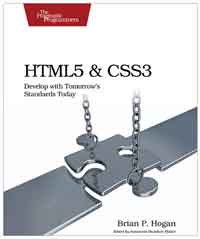
HTML5 and CSS3
Acknowledgments 8
Preface 10
HTML5: The Platform vs. the Specification 10
How This Works 11
What's in This Book 12
Prerequisites 12
Online Resources 13
1 An Overview of HTML5 and CSS3 14
1.1 A Platform for Web Development 14
1.2 Backward Compatibility 17
1.3 The Road to the Future Is Bumpy 17
Part I—Improving User Interfaces 23
2 New Structural Tags and Attributes 24
Tip 1 Redefining a Blog Using Semantic Markup . . . . 27
Tip 2 Creating Pop-up Windows with Custom Data Attributes
40
3 Creating User-Friendly Web Forms 45
Tip 3 Describing Data with New Input Fields 48
Tip 4 Jumping to the First Field with Autofocus 56
Tip 5 Providing Hints with Placeholder Text 58
Tip 6 In-Place Editing with contenteditable 65
4 Making Better User Interfaces with CSS3 72
Tip 7 Styling Tables with Pseudoclasses 74
Tip 8 Making Links Printable with : after and content. . 83
Tip 9 Creating Multicolumn Layouts 87
Tip 10 Building Mobile Interfaces with Media Queries . . 94
5 Improving Accessibility 97
Tip 11 Providing Navigation Hints with ARIA Roles . . . . 99
Tip 12 Creating an Accessible Updatable Region 104
Part II—New Sights and Sounds 110
6 Drawing on the Canvas 111
Tip 13 Drawing a Logo 112
Tip 14 Graphing Statistics with RGraph 119
7 Embedding Audio and Video 127
7.1 A Bit of Histoiy 128
7.2 Containers and Codecs 129
Tip 15 Working with Audio 133
Tip 16 Embedding Video 137
8 Eye Candy 144
Tip 17 Rounding Rough Edges 146
Tip 18 Working with Shadows, Gradients, and Transformations
154
Tip 19 Using Real Fonts 165
Part III—Beyond HTML5 171
9 Working with Client-Side Data 172
Tip 20 Saving Preferences with localStorage 175
Tip 21 Storing Data in a Client-Side Relational Database 181
Tip 22 Working Offline 193
10 Playing Nicely with Other APIs 196
Tip 23 Preserving Histoiy 197
Tip 24 Talking Across Domains 200
Tip 25 Chatting with Web Sockets 207
Tip 26 Finding Yourself: Geolocation 214
11 Where to Go Next 218
11.1 CSS3 Transitions 219
11.2 Web Workers 221
11.3 Native Drag-and-Drop Support 223
11.4 WebGL 229
11.5 Indexed Database API 229
11.6 Client-Side Form Validation 230
11.7 Onward! 231
A Features Quick Reference 232
A. 1 New Elements 232
A. 2 Attributes 233
A. 3 Forms 233
A. 4 Form Field Attributes 234
A. 5 Accessibility 235
A. 6 Multimedia 235
A. 7 CSS3 235
A. 8 Client-Side Storage 238
A. 9 Additional APIs 238
B jQuery Primer 240
B.l Loading jQueiy 240
B.2 jQueiy Basics 241
B.3 Methods to Modify Content 241
B.4 Creating Elements 244
B.5 Events 244
B.6 Document Ready 245
C Encoding Audio and Video 247
C.l Encoding Audio 247
C.2 Encoding Video for the Web 248
D Resources 249
D. 1 Resources on the Web 249
E Bibliography 251
Index 252


HTML and XHTML Packet Reference
نویسنده: Jennifer Niederst Robbins
زبان: انگلیسی