مشخصات کتاب
-
John Horton
-
2015
-
انگلیسی
-
19202
-
1955
-
0
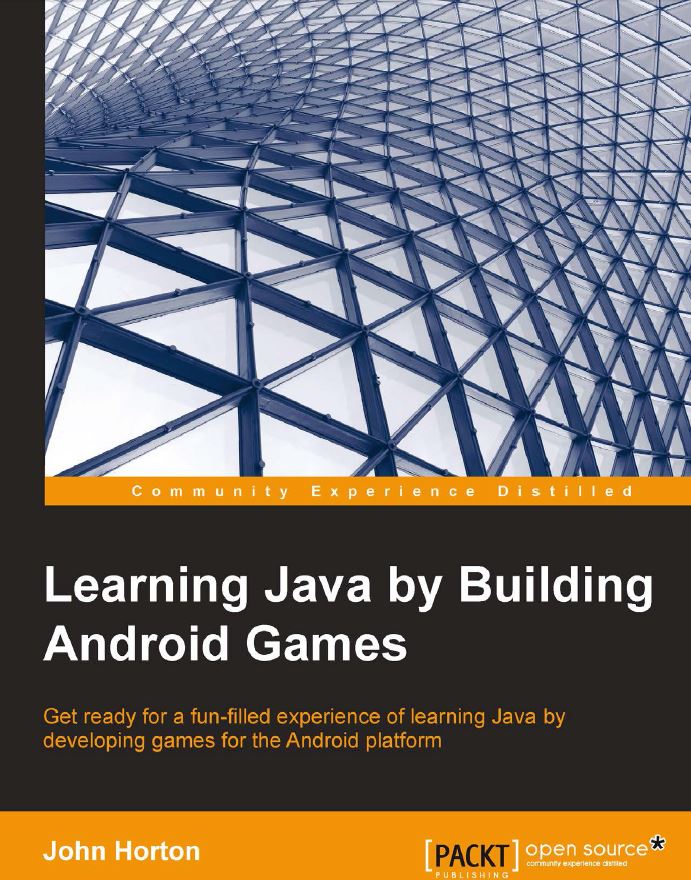
دانلود کتاب Learning Java by Building Android Games
در سال های اخیر از میان سیستم عامل های موجود در بازار، اندروید بیشترین رشد و توسعه را داشته و این امر بر هیچ کس پوشیده نیست. علاوه بر آن، همان طور که آمار و ارقام گویای آن است، اندروید بی شک پرطرفدار ترین سیستم عامل تحت موبایل است که از لحاظ تعداد کاربر و میزان محبوبیت، از windows mobile و حتی IOS پیشی گرفته. انواع برنامه های این سیستم عامل با زبان بسیار قدرتمند و همه منظوره ی java نوشته می شوند. ناگفته پیدا است که برای موفقیت در این عرصه و تبدیل شدن به یک برنامه نویس خبره ی اندروید، باید بر اصول و مفاهیم پایه ای این زبان برنامه نویسی از جمله foundation API های آن اشراف پیدا کنید. کتاب حاضر به شما می آموزد چگونه محیط برنامه نویسی اندروید را راه اندازی نموده و اولین بازی خود تحت این سیستم عامل را طراحی کنید. سطح آموزش به تدریج با معرفی مفاهیم مختلف زبان java از جمله ساختارهای کنترل جریان اجرای برنامه (حلقه های تکرار، دستورات شرطی)، متدها و اصول تکنیک برنامه نویسی شی گرا بالاتر می رود. شما متعاقبا این اصول را در طراحی و پیاده سازی بازی بکار خواهید گرفت. این کتاب از رویکرد کاملا کاربردی برخوردار بوده و برای جا انداختن مفاهیم از تصاویر آموزشی فراوان بهره می گیرد.
برنامه نویسی اندروید
Preface 1
Chapter 1: Why Java, Android, and Games? 7
Is this book for me? 8
If you just want to learn pure Java 8
If Android is your focus 9
Where this book will take you 9
Why build games to learn to program? 9
Why Android and Java? 10
Android is the fastest evolving and growing OS ever 11
Android developers have great prospects 11
Android is open source 12
Java is here to stay 12
Java is not just for Android 12
Java is fast and easy to use 13
A summary of Java and Android 13
Setting up our development environment 14
Installing the JDK 14
Android Studio 17
Installing Android Studio 18
Summary 20
Chapter 2: Getting Started with Android 21
Our first game project 22
Preparing Android Studio 22
Building the project 23
Exploring Android Studio 27
Using the Android Studio visual designer 29
Android UI types 31
TextView 31Layout elements 33
ImageView widgets 33
ButtonView 34
Using the sample code 34
Making our game menu 35
Structuring our code for Android 38
Life cycle phases – what we need to know 38
Life cycle phases – what we need to do 39
Dividing our game into activities 40
Our first look at Java 41
Cleaning up our code 44
Building and installing our game 46
Emulators and devices 47
Creating an emulator 48
Running the emulator 48
Running our game on the emulator 50
Building our game 50
Installing the setup to a device 51
Future projects 52
Self-test questions 52
Summary 53
Chapter 3: Speaking Java – Your First Game 55
Java syntax 56
The compiler 57
Making code clear with comments 58
Storing data and using it with variables 59
Types of variables 60
Reference types 63
Declaration 64
Initialization 64
Expressing yourself in Java 67
Math game – asking a question 71
Creating the new game activity 72
Laying out the game screen UI 75
Coding a question in Java 79
Linking our game from the main menu 84
Decisions in Java 89
More operators 90
Decision 1 – If they come over the bridge, shoot them 91
Decision 2 – Else, do this 92
Switching to make decisions 93Math game – getting and checking the answer 95
Self-test questions 102
Summary 103
Chapter 4: Discovering Loops and Methods 105
Looping with loops 106
While loops 107
Breaking out of a loop 109
The continue keyword 109
Do-while loops 110
For loops 110
Random numbers in Java 111
Methods 112
The structure of a method 112
Modifier 114
Return type 114
Name of a method 116
Parameters 117
Getting things done in the method body 117
Using methods 118
A working method 119
Exploring method overloading 124
Enhancing our math game 127
Enhancing the UI 127
The new Java code 129
Amending GameActivity 129
The methods 133
The setQuestion method 133
The updateScoreAndLevel method 137
The isCorrect method 140
Calling our new methods 142
Finishing touches 143
Going full screen and locking orientation 143
Adding a custom image (instead of the Android icon) 145
Self-test questions 145
Summary 146
Chapter 5: Gaming and Java Essentials 147
Java arrays – an array of variables 148
Arrays are objects 149
A simple example of an array 150
Getting dynamic with arrays 152
Dynamic array example 152
Entering the nth dimension with arrays 154
An example of a multidimensional array 154
Array-out-of-bounds exceptions 158More about OOP and classes 240
Inner classes 240
Self-test questions 241
Summary 241
Chapter 7: Retro Squash Game 243
Drawing with Android Canvas 244
The Android coordinate system 245
Animating our pixels 246
Getting started with Canvas and Paint 246
Android Canvas demo app 247
Detecting touches on the screen 251
Preparing to make the retro squash game 252
The design of the game 252
The UI 253
Physics 253
The structure of the code 254
The four implementation phases in detail 255
Phase 1 – MainActivity and onCreate 256
Phase 1 code explained 260
Phase 2 – SquashCourtView part 1 264
Phase 2 code explained 268
Phase 3 – SquashCourtView part 2 275
Phase 3 code explained 278
Phase 4 – Remaining lifecycle methods 282
Good object-oriented design 284
Self-test questions 284
Summary 284
Chapter 8: The Snake Game 285
Game design 285
The coordinate system 287
Keeping track of the snake segments 288
Detecting collisions 289
Drawing the snake 289
The code structure 290
MainActivity 290
GameActivity 291
Tidying up onCreate 291
Animation, sprite sheets, and the Snake home screen 292
Animating with sprite sheets 294
Implementing the Snake home screen 295
Implementing the Snake game activity 302Enhancing the game 318
Self-test questions 318
Summary 319
Chapter 9: Making Your Game the Next Big Thing 321
How to publish your app 322
Marketing your app 324
Adding leaderboards and achievements 327
Planning the Snake achievements 327
Step-by-step leaderboards and achievements 329
Installing the Google Play Services API on your PC 329
Configuring the Google Play developer console 330
Implementing the leaderboard in the Google Play developer console 334
Implementing the achievements in the Google Play developer console 336
Setting up the Snake project ready for implementation 337
Implementing the player's sign-in, achievements, and leaderboard buttons 342
Implementing the leaderboards in code 348
Implementing the achievements in code 350
Uploading the updated Snake game to Google Play 353
What next? 354
Getting a programmer's job 354
Building bigger and better games 355
Self-test questions 357
Summary 358
Appendix: Self-test Questions and Answers 359
Index 369
|
ISBN: |
978-1-78439-885-9 |
|
Year: |
2015 |
|
Pages: |
392 |
|
Language: |
English |
|
File size: |
27.6 MB |
|
File format: |
|