
مشخصات کتاب
-
Dan Wellman
-
2011
-
انگلیسی
-
1916
-
148
-
0
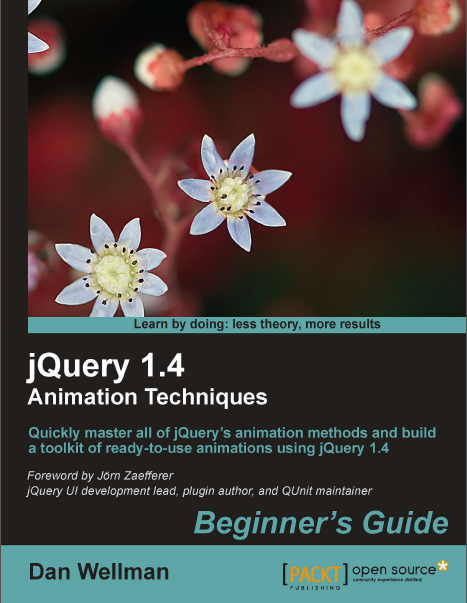
دانلود کتاب JQuery 1.4 Animation Techniques
دوره آموزش JQuery
این کتاب با ارائه ی دستورالعمل های آموزشی گام به گام و روشن همراه با تصاویر آموزشی متعدد، نحوه ی ایجاد انیمیشن های ساده و پیچیده را برای شما شرح می دهد. متدهای درون ساخته ی انیمیشن و پویا سازی المان های سایت را به شما آموخته و نحوه ی استفاده از هریک را برای شما به تفصیل توصیف می کند. در این اثر بیش از 50 مثال دقیق از انواع انیمیشن پیاده سازی شده در سایت را مشاهده خواهید کرد. تصاویر جذاب و آموزشی که علاوه بر نمایش انیمیشن در مراحل مختلف، نمونه ی نهایی آن ها را برای مشاهده ی شما ارائه می دهد. دربردارنده ی مثال های فراوان است که بسیاری از المان های HTML5 و styling های (خصیصه های سبک دهی) CSS3 را شامل می شود. مثال ها را به صورت گام به گام و از مباحث ابتدایی آغاز کرده و تا پیاده سازی های پیشرفته تر دنبال نمایید.
Create both simple and complex animations using clear, step-by-step instructions, accompanied with screenshots. Walk through jQuery's built-in animation methods and see in detail how each one can be used. Over 50 detailed examples of different types of web page animations. Attractive pictures and screenshots that show animations in progress and how the examples should finally appear. Contains examples featuring many new HTML5 elements and CSS3 styling. Follow the examples in a step-by-step approach beginning with simple concepts and building up to more advanced implementations
| ISBN: | 978-1-8495-1330-2 |
| Year: | 2011 |
| Pages: | 344 |
| Language: | English |
| File size: | 11.1 MB |
| File format: |
Chapter 1: Introduction 7
Animation on the Web 7
The power of animated UIs 8
When to use animations 9
When not to use animations 10
Animation checklist 10
Animating with jQuery 10
The template file 11
Creating a project folder 13
A basic animation example 13
Time for action – creating an animated loader 14
Summary 17
Chapter 2: Fading Animations 19
Fading animations 20
Configuring the animations with arguments 20
jQuery's Unified Animation API 21
Enhancing simple CSS hover states with fadeIn 22
Time for action – adding the underlying markup and styling 23
Time for action – scripting the animation 25
Fading elements out 27
Time for action – creating the dialog 29
Fading PNGs in IE 31
Using fadeToggle() for convenient state-checking logic 33
Time for action – showing and hiding with fadeToggle() 34
Greater opacity control with fadeTo() 36
Animating to partial opacity 37
Time for action – creating the example page 38Time for action – adding the behavior 39
Fading table-rows in Internet Explorer 43
Time for action – fading table-rows in IE 43
Showing and hiding 46
Flyout submenus with jQuery's show/hide logic 47
Time for action – animations with show/hide 49
Animated toggling 52
Time for action – replacing show and hide with toggle 52
Summary 53
Chapter 3: Managing Animations 55
Working with the queue 56
Viewing the queue 57
Time for action - viewing the queue 57
Adding a function to the queue 61
Time for action – adding a single function to the queue 61
Using a callback function to keep the queue moving 62
Time for action – keeping the queue running 62
Replacing the queue 63
Time for action – replacing the queue 63
Ensuring custom queues iterate correctly 65
Time for action – dequeueing functions 66
Stopping an animation 66
Time for action – preventing animation build-up using the stop method 68
Delaying queue execution 69
Clearing the queue 69
Useful properties of the jQuery object 70
Globally disabling animations 70
Changing the default frame rate 70
Summary 71
Chapter 4: Sliding Animations 73
Sliding elements into view 74
Time for action – creating a slide-down login form 75
Sliding elements out of view 79
Time for action – sliding elements up 80
Toggling the slide 83
Time for action – using slideToggle 83
Easing 89
Time for action – adding easing 90
Using an object literal to add easing 91
Time for action – using the alternative argument format 91The flicker effect 92
Time for action – avoiding the flicker effect 92
Time for action – fixing the flicker 97
Summary 99
Chapter 5: Custom Animations 101
The animate method 102
Per-property easing 102
An alternative syntax for animate() 103
Animating an element's position 103
Time for action – creating an animated content viewer 104
Time for action – initializing variables and prepping the widget 106
Time for action – defining a post-animation callback 107
Time for action – adding event handlers for the UI elements 109
Skinning the widget 111
Time for action – adding a new skin 111
Time for action – creating the underlying page and basic styling 114
Time for action – defining the full and small sizes of the images 115
Time for action – creating the overlay images 116
Time for action – creating the overlay wrappers 116
Time for action – maintaining the overlay positions 119
Creating a jQuery animation plugin 121
Time for action – creating a test page and adding some styling 122
Creating the plugin 124
Time for action – adding a license and defining configurable options 124
Time for action – adding our plugin method to the jQuery namespace 125
Time for action – creating the UI 127
Time for action – creating the transition overlay 129
Time for action – defining the transitions 130
Using the plugin 132
Summary 135
Chapter 6: Extended Animations with jQuery UI 137
Obtaining and setting up jQuery UI 138
A new template file 139Time for action – highlighting elements 143
The pulsate effect 145
Configuration options 145
Time for action – making an element pulsate 145
The shake effect 147
Configuration options 147
Time for action – shaking an element 147
The size effect 149
Configuration options 149
Time for action – resizing elements 150
The transfer effect 152
Configuration options 152
Time for action – transferring the outline of one element to another 152
Using effects with show and hide logic 155
The blind effect 155
Configuration options 156
Time for action – using the blind effect 156
The clip effect 157
Configuration options 157
Time for action – clipping an element in and out 158
The drop effect 159
Configuration options 160
Time for action – using the effect 160
The explode effect 162
Configuration options 162
Time for action – exploding an element 163
The fold effect 164
Configuration options 164
Time for action – folding an element away 164
The puff effect 166
Configuration options 166
Time for action – making an element disappear in a puff 166
The slide effect 168
Configuration options 168
Time for action – sliding elements in and out of view 168
The scale effect 170
Configuration options 170
Time for action – scaling an element 170
Easing functions 173
Time for action – adding easing to effects 174
Color animations 174
Time for action – animating between colors 174Chapter 8: Other Popular Animations 207
Proximity animations 207
Time for action – creating and styling the page 208
Time for action – prepping the page for sliding functionality 210
Time for action – animating the scroller 213
Time for action – adding the mouse events 214
Time for action – adding keyboard events 215
Animated page headers 217
Time for action – creating an animated header 218
Marquee text 219
Time for action – creating and styling the underlying page 220
Time for action – retrieving and processing the post list 222
Time for action – animating the post links 227
Summary 229
Chapter 9: CSS3 Animations 231
CSS3 2D transforms 231
Understanding the matrix 232
Translate 233
Scale 234
Skew 236
Rotation 237
Working with transforms 238

دانلود کتاب آموزش jquery به زبان فارسی
با استفاده از امکانات کتابخانه ی jQuery، وب سایت خود را کاربر پسند نمایید. پس از مطالعه ی کتاب jQuery For Designers قادر خواهید بود افکت های jQuery را به سایت خود اضافه کرده و قابلیت
در صورت تمایل به حضور در دوره آموزش کلیک کنید بر دوره آموزش jQuery,javascript
نویسنده: منوریان
زبان: فارسی

دانلود کتاب Applied jQuery-Develop and Design
Applied jQuery به خوانندگان آن آموزش می دهد چگونه در کوتاه ترین زمان بتوانند رابط های کاربری برای اپلیکیشن های تحت وب بنویسند. این کتاب که به بهترین نحو طراحی شده، علاوه بر تکنیک
در صورت تمایل به حضور در دوره آموزش کلیک کنید بر دوره آموزش jQuery,javascript
نویسنده: Jay Blanchard
زبان: انگلیسی

دانلود کتاب Head First jQuery
اگر می خواهید یک وب سایت تعاملی با ظاهری جالب توجه طراحی کنید، این کتاب بهترین انتخاب می باشد. با مطالعه ی این کتاب خواهید آموخت چگونه با بهره گیری از کتابخانه ی محبوب jQuery می توانید با نوشتن چند خط کد، قابلیت های بی نظیر به سایت خود اضافه نمایید.
نویسنده: Ryan Benedetti, Ronan Cranley
زبان: انگلیسی