مشخصات کتاب
-
Ed Burnette
-
2010
-
انگلیسی
-
505
-
217
-
0
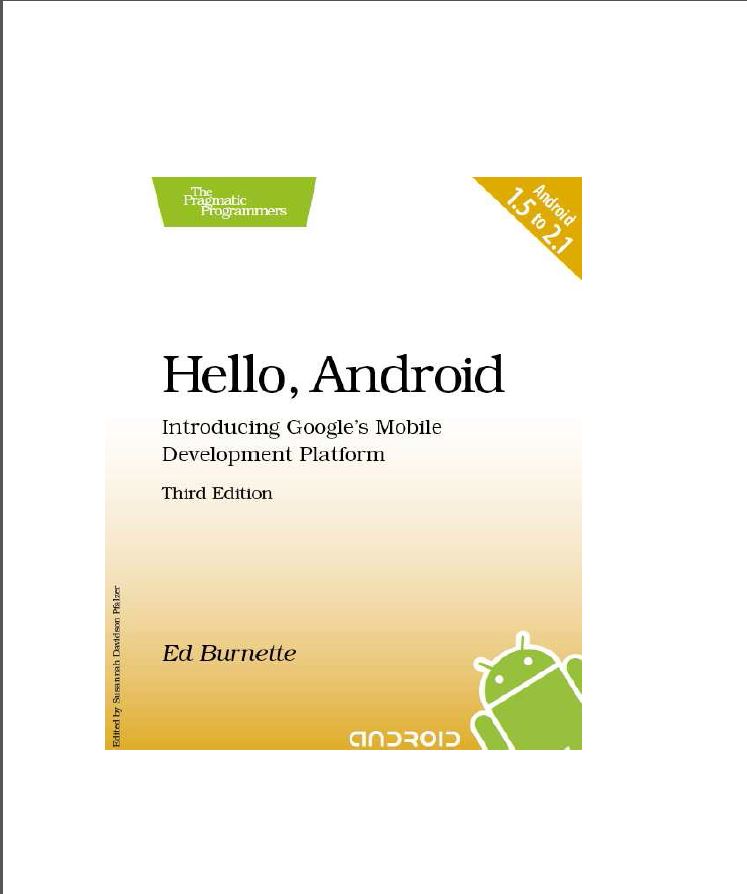
Hello, Android
Acknowledgments 9
Preface 10
What Makes Android Special? . . . . . . . . . . . . . . . . . . 10
Who Should Read This Book? . . . . . . . . . . . . . . . . . . . 11
What’s in This Book? . . . . . . . . . . . . . . . . . . . . . . . . 12
What’s New in the Third Edition? . . . . . . . . . . . . . . . . . 12
Online Resources . . . . . . . . . . . . . . . . . . . . . . . . . . 14
Fast-Forward >> . . . . . . . . . . . . . . . . . . . . . . . . . . 14
I Introducing Android 16
1 Quick Start 17
1.1 Installing the Tools . . . . . . . . . . . . . . . . . . . . . 17
1.2 Creating Your First Program . . . . . . . . . . . . . . . . 23
1.3 Running on the Emulator . . . . . . . . . . . . . . . . . 23
1.4 Running on a Real Phone . . . . . . . . . . . . . . . . . 28
1.5 Fast-Forward >> . . . . . . . . . . . . . . . . . . . . . . . 29
2 Key Concepts 30
2.1 The Big Picture . . . . . . . . . . . . . . . . . . . . . . . 30
2.2 It’s Alive! . . . . . . . . . . . . . . . . . . . . . . . . . . . 35
2.3 Building Blocks . . . . . . . . . . . . . . . . . . . . . . . 39
2.4 Using Resources . . . . . . . . . . . . . . . . . . . . . . 40
2.5 Safe and Secure . . . . . . . . . . . . . . . . . . . . . . . 40
2.6 Fast-Forward >> . . . . . . . . . . . . . . . . . . . . . . . 41II Android Basics 42
3 Designing the User Interface 43
3.1 Introducing the Sudoku Example . . . . . . . . . . . . . 43
3.2 Designing by Declaration . . . . . . . . . . . . . . . . . 44
3.3 Creating the Opening Screen . . . . . . . . . . . . . . . 45
3.4 Using Alternate Resources . . . . . . . . . . . . . . . . . 55
3.5 Implementing an About Box . . . . . . . . . . . . . . . . 57
3.6 Applying a Theme . . . . . . . . . . . . . . . . . . . . . . 61
3.7 Adding a Menu . . . . . . . . . . . . . . . . . . . . . . . 64
3.8 Adding Settings . . . . . . . . . . . . . . . . . . . . . . . 65
3.9 Starting a New Game . . . . . . . . . . . . . . . . . . . . 66
3.10 Debugging . . . . . . . . . . . . . . . . . . . . . . . . . . 69
3.11 Exiting the Game . . . . . . . . . . . . . . . . . . . . . . 71
3.12 Fast-Forward >> . . . . . . . . . . . . . . . . . . . . . . . 71
4 Exploring 2D Graphics 73
4.1 Learning the Basics . . . . . . . . . . . . . . . . . . . . . 73
4.2 Adding Graphics to Sudoku . . . . . . . . . . . . . . . . 78
4.3 Handling Input . . . . . . . . . . . . . . . . . . . . . . . 87
4.4 The Rest of the Story . . . . . . . . . . . . . . . . . . . . 93
4.5 Making More Improvements . . . . . . . . . . . . . . . . 103
4.6 Fast-Forward >> . . . . . . . . . . . . . . . . . . . . . . . 103
5 Multimedia 105
5.1 Playing Audio . . . . . . . . . . . . . . . . . . . . . . . . 105
5.2 Playing Video . . . . . . . . . . . . . . . . . . . . . . . . 112
5.3 Adding Sounds to Sudoku . . . . . . . . . . . . . . . . . 115
5.4 Fast-Forward >> . . . . . . . . . . . . . . . . . . . . . . . 119
6 Storing Local Data 120
6.1 Adding Options to Sudoku . . . . . . . . . . . . . . . . . 120
6.2 Continuing an Old Game . . . . . . . . . . . . . . . . . 122
6.3 Remembering the Current Position . . . . . . . . . . . . 124
6.4 Accessing the Internal File System . . . . . . . . . . . . 126
6.5 Accessing SD Cards . . . . . . . . . . . . . . . . . . . . 127
6.6 Fast-Forward >> . . . . . . . . . . . . . . . . . . . . . . . 128III Beyond the Basics 129
7 The Connected World 130
7.1 Browsing by Intent . . . . . . . . . . . . . . . . . . . . . 131
7.2 Web with a View . . . . . . . . . . . . . . . . . . . . . . . 135
7.3 From JavaScript to Java and Back . . . . . . . . . . . . 140
7.4 Using Web Services . . . . . . . . . . . . . . . . . . . . . 147
7.5 Fast-Forward >> . . . . . . . . . . . . . . . . . . . . . . . 160
8 Locating and Sensing 161
8.1 Location, Location, Location . . . . . . . . . . . . . . . . 161
8.2 Set Sensors to Maximum . . . . . . . . . . . . . . . . . 168
8.3 Bird’s-Eye View . . . . . . . . . . . . . . . . . . . . . . . 172
8.4 Fast-Forward >> . . . . . . . . . . . . . . . . . . . . . . . 177
9 Putting SQL to Work 178
9.1 Introducing SQLite . . . . . . . . . . . . . . . . . . . . . 178
9.2 SQL 101 . . . . . . . . . . . . . . . . . . . . . . . . . . . 179
9.3 Hello, Database . . . . . . . . . . . . . . . . . . . . . . . 181
9.4 Data Binding . . . . . . . . . . . . . . . . . . . . . . . . . 189
9.5 Using a ContentProvider . . . . . . . . . . . . . . . . . . 192
9.6 Implementing a ContentProvider . . . . . . . . . . . . . 195
9.7 Fast-Forward >> . . . . . . . . . . . . . . . . . . . . . . . 196
10 3D Graphics in OpenGL 198
10.1 Understanding 3D Graphics . . . . . . . . . . . . . . . . 198
10.2 Introducing OpenGL . . . . . . . . . . . . . . . . . . . . 199
10.3 Building an OpenGL Program . . . . . . . . . . . . . . . 200
10.4 Rendering the Scene . . . . . . . . . . . . . . . . . . . . 202
10.5 Building a Model . . . . . . . . . . . . . . . . . . . . . . 206
10.6 Lights, Camera, ... . . . . . . . . . . . . . . . . . . . . . 209
10.7 Action! . . . . . . . . . . . . . . . . . . . . . . . . . . . . 212
10.8 Applying Texture . . . . . . . . . . . . . . . . . . . . . . 212
10.9 Peekaboo . . . . . . . . . . . . . . . . . . . . . . . . . . . 216
10.10 Measuring Smoothness . . . . . . . . . . . . . . . . . . 217
10.11 Fast-Forward >> . . . . . . . . . . . . . . . . . . . . . . . 218IV The Next Generation 219
11 Multi-Touch 220
11.1 Introducing Multi-Touch . . . . . . . . . . . . . . . . . . 220
11.2 Building the Touch Example . . . . . . . . . . . . . . . 222
11.3 Understanding Touch Events . . . . . . . . . . . . . . . 225
11.4 Setting Up for Image Transformation . . . . . . . . . . 228
11.5 Implementing the Drag Gesture . . . . . . . . . . . . . . 229
11.6 Implementing the Pinch Zoom Gesture . . . . . . . . . 230
11.7 Fast-Forward >> . . . . . . . . . . . . . . . . . . . . . . . 232
12 There’s No Place Like Home 233
12.1 Hello, Widget . . . . . . . . . . . . . . . . . . . . . . . . . 233
12.2 Live Wallpaper . . . . . . . . . . . . . . . . . . . . . . . . 242
12.3 Fast-Forward >> . . . . . . . . . . . . . . . . . . . . . . . 254
13 Write Once, Test Everywhere 256
13.1 Gentlemen, Start Your Emulators . . . . . . . . . . . . 257
13.2 Building for Multiple Versions . . . . . . . . . . . . . . . 257
13.3 Evolving with Android APIs . . . . . . . . . . . . . . . . 259
13.4 Bug on Parade . . . . . . . . . . . . . . . . . . . . . . . . 265
13.5 All Screens Great and Small . . . . . . . . . . . . . . . . 267
13.6 Installing on the SD Card . . . . . . . . . . . . . . . . . 268
13.7 Fast-Forward >> . . . . . . . . . . . . . . . . . . . . . . . 270
14 Publishing to the Android Market 271
14.1 Preparing . . . . . . . . . . . . . . . . . . . . . . . . . . . 271
14.2 Signing . . . . . . . . . . . . . . . . . . . . . . . . . . . . 272
14.3 Publishing . . . . . . . . . . . . . . . . . . . . . . . . . . 273
14.4 Updating . . . . . . . . . . . . . . . . . . . . . . . . . . . 275
14.5 Closing Thoughts . . . . . . . . . . . . . . . . . . . . . . 276
V Appendixes 277
A Java vs. the Android Language and APIs 278
A.1 Language Subset . . . . . . . . . . . . . . . . . . . . . . 278
A.2 Standard Library Subset . . . . . . . . . . . . . . . . . . 280
A.3 Third-Party Libraries . . . . . . . . . . . . . . . . . . . . 281
B Bibliography 282
Index 283