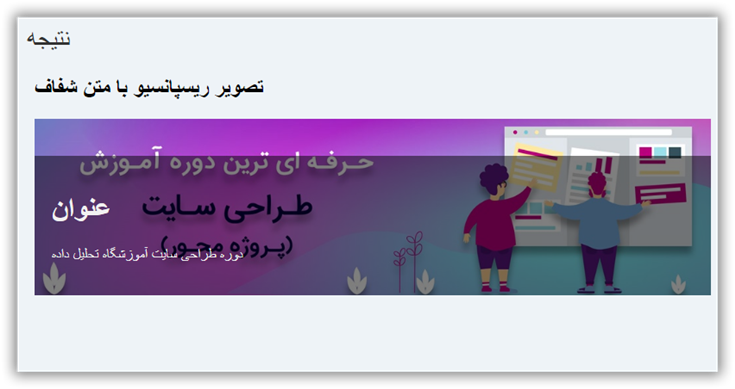
     عنوان
    دوره طراحی سایت آموزشگاه تحلیل داده..
#C کلید ورود به بازار کار
دوره پروژهمحور #C و ASP.NET Core


در این مقاله می آموزید که چطور با استفاده از CSS و Html تصویری با زمینه متن شفاف ایجاد کنید.
قدم اول : کد HTML را اضافه کنید.
مثال :
![دوره طراحی سایت]()
عنوان
دوره طراحی سایت آموزشگاه تحلیل داده..
قدم دوم : کد CSS را اضافه کنید.
مثال :
.container {
  position: relative;
  max-width: 800px; /* Maximum width */
  margin: 0 auto; /* Center it */
}

.container .content {
  position: absolute; /* Position the background text */
  bottom: 0; /* At the bottom. Use top:0 to append it to the top */
  background: rgb(0, 0, 0); /* Fallback color */
  background: rgba(0, 0, 0, 0.5); /* Black background with 0.5 opacity */
  color: #f1f1f1; /* Grey text */
  width: 100%; /* Full width */
  padding: 20px; /* Some padding */
}
<h2>Responsive Image with Transparent Text</h2>

<div class="container">

  <img src="http://articles.tahlildadeh.com/image.axd?picture=1_15.jpg" alt="دوره طراحی سایت" alt="دوره طراحی سایت" style="width:100%;">

  <div class="content">

    <h1>عنوان</h1>

    <p>دوره طراحی سایت</p>

  </div>

</div>
خروجی افکت Image with Transparent Text